Best FireStick Apps for 4K Ultra HD Streaming 2026
Best FireStick Apps for 4K Ultra HD Streaming in 2026
Get the most from your 4K TV with these premium streaming apps optimized for Ultra HD
A FireStick 4K or 4K Max combined with a 4K HDR television unlocks a dramatic improvement in picture quality. But not every streaming app delivers true 4K – and not every app supports HDR, Dolby Vision, or Dolby Atmos. This guide focuses on apps that make the most of your 4K setup.
What You Need for 4K Streaming
📺 4K Streaming Requirements
- FireStick model: FireStick 4K or FireStick 4K Max (not Lite or standard HD)
- TV: A 4K UHD television with HDMI 2.0+ port
- Internet speed: 25 Mbps minimum for 4K; 50+ Mbps recommended
- HDR support: HDR10, HDR10+, or Dolby Vision for maximum picture quality
- Audio: A soundbar or AV receiver with Dolby Atmos support for immersive audio
Best Apps for 4K HDR Content
Netflix 4KPaid
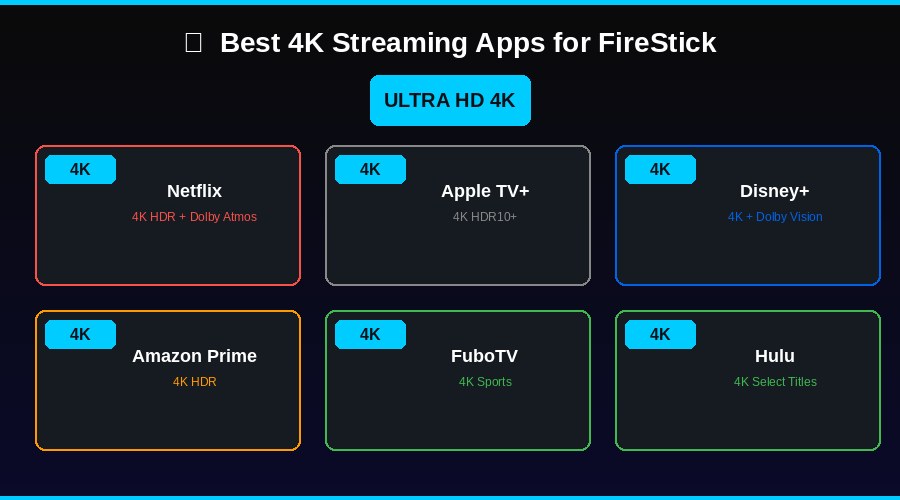
Netflix has the largest 4K HDR library of any streaming service. Titles are available in 4K Ultra HD with HDR10 and Dolby Vision depending on the title. Note: 4K streaming requires the Standard or higher plan.
Apple TV+ 4KPaid
Every Apple TV+ original is produced and streamed in 4K HDR with Dolby Vision. Apple video quality is consistently excellent with Dolby Atmos audio. At $9.99/month it is outstanding value for 4K content.
Disney+ 4KPaid
Disney+ delivers 4K Dolby Vision and Dolby Atmos on select Marvel, Star Wars, Pixar, and Disney titles. IMAX Enhanced content is also available on supported titles.
Hulu 4KPaid
Hulu offers 4K on select series and movies, primarily Hulu Originals and some licensed content. 4K availability on Hulu is more limited than Netflix or Disney+ but expanding.
FuboTV 4KPaid
FuboTV is one of the only live TV streaming services to offer 4K live sports. Select NFL, soccer, and entertainment events stream in 4K. Requires the Pro plan or higher.
Amazon Prime Video 4KFree + Paid
Amazon Prime Video is pre-installed on FireStick and offers an extensive 4K HDR library including Amazon Originals and licensed films. 4K streaming is included at no extra cost for Prime members.
Getting the Best 4K Picture
🌞 Optimizing 4K Settings on FireStick
- Go to Settings → Display & Sounds → Display
- Set resolution to 4K UHD
- Enable HDR and Dolby Vision if your TV supports it
- Under Audio, enable Dolby Atmos passthrough if you have a compatible soundbar
- Match your HDMI port to your TV best HDMI input (usually HDMI 2 or HDMI ARC)